

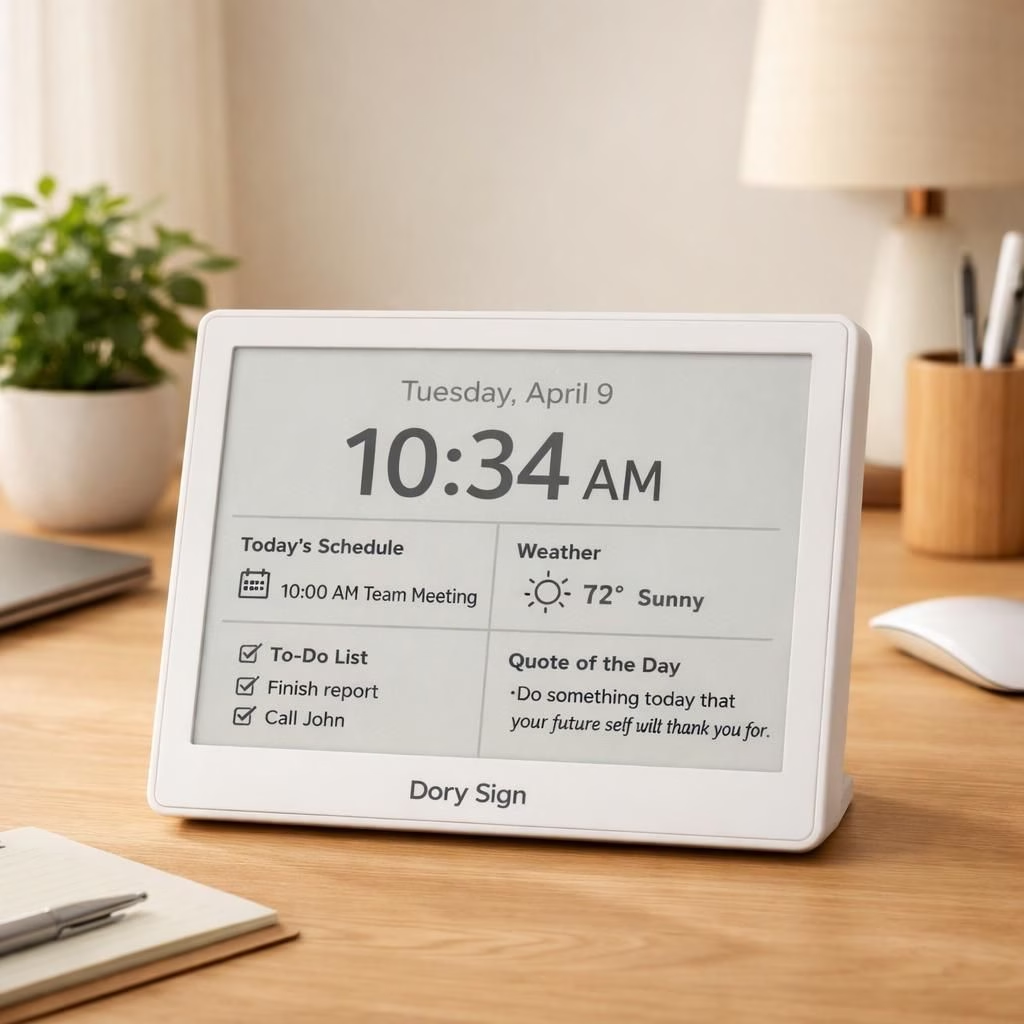
The Dory Sign blends E Ink and Smart Screen to create a quiet productivity duo. In a market obsessed with glare and flashy features, this device leans into restrained charm. Ars Technica called the UI ‘smart screen simplicity at its finest,’ and we echo that verdict with a nod. E Ink panels deliver legibility in bright sun and warmth at dusk, while the Smart Screen UI keeps distractions at bay. The result is a desk-friendly companion that invites reading, note-taking, and the tiny jokes baked into the interface. When information matters, E Ink’s high-contrast, glare-free text stays readable; when you want interaction, Smart Screen provides purposeful controls without a dopamine drip. The Dory Sign shows that technology can recede into the background and still be remarkably helpful. It respects your time and your eyes, and it does it with a quiet, slightly witty attitude.
E Ink in the Dory Sign: Minimalism with maximum comprehension
E Ink is the quiet backbone here. It uses microcapsule technology to render text and simple images with exceptional legibility, even in sunlight. This is not the place for neon banners; this is when you want to read for a long stretch without fatigue. The Dory Sign uses E Ink to preserve battery life, a practical virtue for students, writers, and travelers. Meanwhile, the device’s hardware remains modest, not a power-hungry gadget on a pedestal. The combination of E Ink with a clean, distraction-free interface demonstrates that readability can be a feature, not an afterthought. For many users, E Ink means fewer eye-strain headaches and more time spent with ideas rather than backlit glow. The Dory Sign shows that E Ink can still lead in a world obsessed with brightness, color, and buzz.
Smart Screen UX: The Dory Sign as a calm companion
The Smart Screen UX in the Dory Sign focuses on clarity, accessibility, and practical power efficiency. The interface uses large, legible typography and understated icons. Instead of endless menus, you get a top-bar with essential actions and a long-press gesture to reveal more options. The Dory Sign uses Smart Screen to present content as paragraphs, not popups, making long reads comfortable. The energy profile of the device benefits from E Ink’s passive operation, but Smart Screen keeps necessary actions snappy and responsive. The result is a hybrid that feels both timeless and modern, bridging the calm of paper with the convenience of digital tools. You can annotate, highlight, or save quotes with minimal friction; no flashy animation chase necessary. The Dory Sign proves that a UI can be humane, even in a world that worships speed. Smart Screen keeps pace with your thoughts without shouting back at you.
Practical tips: charge modestly, keep wireless off when reading, and use the built-in sleep modes to preserve that elegant Dory Sign energy profile. By focusing on core tasks—reading, annotating, saving quotes—the Dory Sign becomes less about gadgetry and more about productive quiet. The result is a device that fits into a life rather than demanding it. E Ink and Smart Screen together deliver a toolkit for calm productivity that respects your attention and your time.
In case you want more structure: consider a daily routine where you use Smart Screen for brief notes and E Ink for long-form reading in the morning. The Dory Sign rewards consistency with a steady, readable interface and a battery that lasts longer than your coffee break. That is the beauty of 2026 tech: less noise, more nurture for the mind.
If you found this exploration helpful, share your thoughts in the comments below. Your experience with E Ink and Smart Screen can help others decide whether the Dory Sign deserves a place on their desks.
Special thanks to Ars Technica for original coverage. Read the original article here: original Ars Technica article.
External sources
FAQ
-
Q: What is E Ink and why does it matter here?
A: E Ink is a reflective display technology that mimics paper. It reduces glare in bright light and lowers eye fatigue during long reads.
-
Q: How does the Smart Screen UX help with focus?
A: It emphasizes essential actions, minimizes distractions, and supports easy annotation without overwhelming menus.
-
Q: Can I use both E Ink and Smart Screen in a single session?
A: Yes. Read long-form content on E Ink and switch to Smart Screen for notes, quotes, or quick references.
Conclusion
The Dory Sign demonstrates that restraint can be a strength. With E Ink delivering legible reading in any light and the Smart Screen UI guiding efficient interaction, you get a desk companion that respects your attention. It’s a quiet tool for thoughtful work, not a gadget that yanks your focus away.