

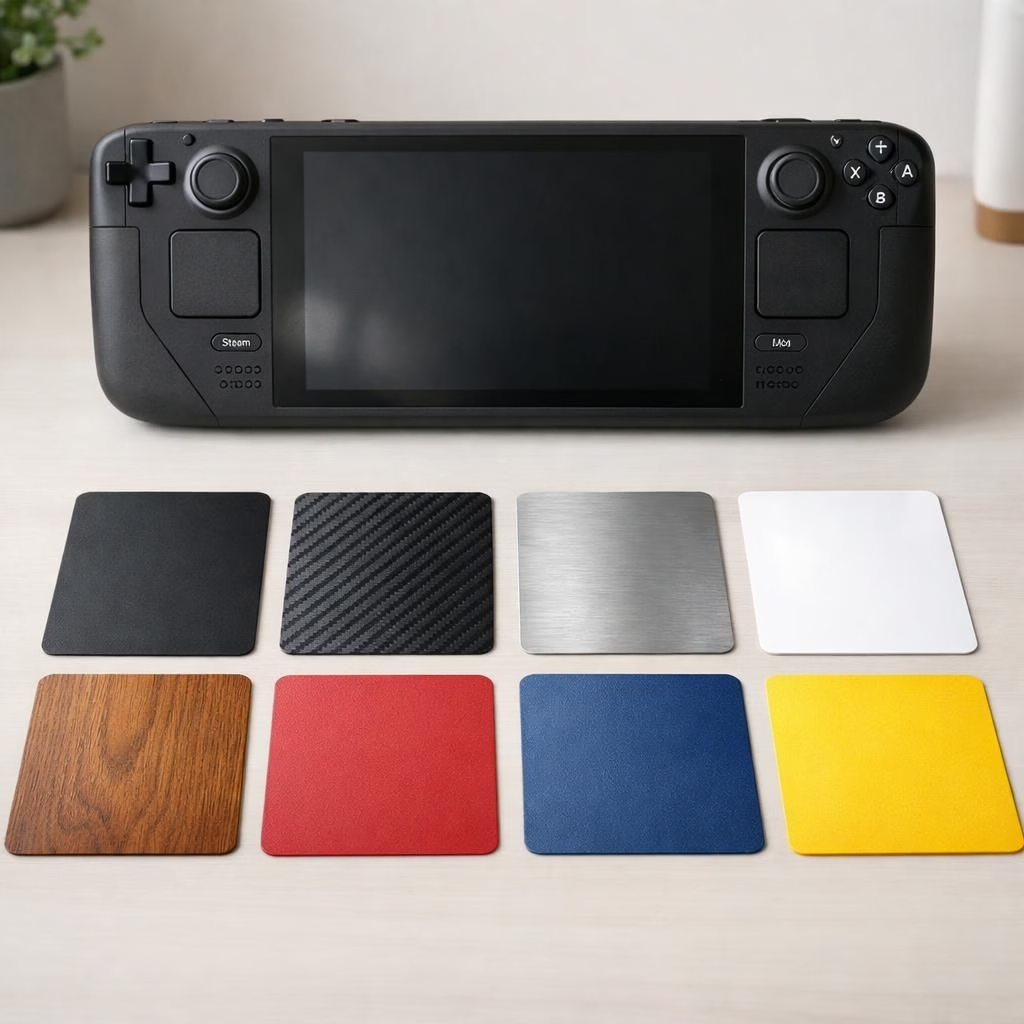
In 2026, dBrand expands its lineup with nine Steam Deck Skins for Steam Machine setups. The new designs promise color, texture, and protection in one package. Skins use tough polycarbonate with matte or gloss finishes and resist fingerprints. They fit Steam Deck hardware snugly, with precise cutouts that avoid battery covers and ports. The announcement, shared by Steam Deck HQ, signals a playful shift: style and protection can coexist on a single shell. The goal is simple: quick swaps, easy cleaning, and a look that stands out without shouting.
dBrand Steam Deck Skins: Design Details
Design starts with a careful fit. dBrand engineers measured every contour to align the skins with the Steam Deck. They meet the Steam Deck‘s curves for a seamless look. The nine skins cover the main back panel and the front lip. They also address a small edge near the controls. The textures range from satin to chrome-like finishes. Colors vary from restrained monochromes to electric accents. The aim is to offer something for minimalists and flash lovers. With dBrand, the finish resists peeling and stays stable in light. The Steam Deck compatibility remains tight without interfering with buttons or grips. The result is design variety in a crowded market. Durability matters, and the material holds up to daily handling. dBrand ensures the color fastness and edge sealing stay robust. This keeps the Steam Deck faithful to its ergonomic feel.
dBrand Steam Deck Skins: Installation and Care
Applying the skins is a weekend-friendly task. Start clean, wipe the surface, and line up the cutouts. dBrand designed the adhesives to be forgiving yet secure. The setup is non-destructive if you follow the steps, and the skin sticks to the Steam Deck surfaces without residue if removed within a certain window. If you misalign, peel gently and re-set; the film is user-friendly, not a trap. The nine skins include pre-cut swatches you can test before committing. Peel a corner, align the edges, then smooth from the center outward. A microfiber cloth helps remove air pockets and avoid bubbles. The finish hugs the curves of Steam Deck hardware, with a thin, barely noticeable edge. Care tips include avoiding harsh solvents that could dull the gloss or matte texture. Regular quick wipes keep color vibrant and fingerprints at bay. The result is a look you can swap with joy rather than haste. dBrand promises durability that resists peeling and maintains grip. For long-term use, this is a painless way to refresh your Steam Deck and your Steam Machine setup.
Looking ahead to the rest of 2026, the Steam Deck Skins lineup suggests a slow, satisfying trend toward personalizing tech. Owners will appreciate the balance between style and practicality, a rare treat in accessory markets. Steam Deck Skins are not just fashion; they are a fast way to extend device life while keeping grip and heat in check. Whether you prefer glossy drama or muted elegance, you can find a skin that fits your desk, your game, and your mood.
Original article and inspiration: dBrand 9 Steam Deck Skins — original article via Steam Deck HQ. Thank you for the material.
We’d love to hear your thoughts on these skins. Share your experiences, preferences, and any tips you have for applying skin sets to complex devices.
dBrand craftsmanship and materials
dBrand uses rugged polycarbonate with matte or gloss finishes, delivering consistency across units. The company also applies UV-stable inks and robust edge sealing to keep colors vibrant over time. This combination helps the skins resist peeling and maintain grip, even with daily handling.
Steam Deck fit and performance
The skins are designed to follow the Steam Deck silhouette closely, ensuring button access remains straightforward and comfortable in long gaming sessions. The result is a protective layer that adds style without altering the device’s feel or balance.
Frequently Asked Questions
-
Are these skins easy to apply?
Yes. The process is straightforward: clean the surface, align the cutouts, and gradually smooth from the center outward. Use the pre-cut swatches to test fit before committing.
-
Do the skins affect heat or battery access?
When applied correctly, they do not impede airflow or battery access. The precise cutouts ensure vents and ports stay accessible.
-
Will the skins leave residues if I remove them?
Removal within the recommended window is clean and residue-free. If you wait too long, edges may require a gentle peel to avoid adhesive residue.
-
Can I swap skins often?
Yes. The adhesive is forgiving for quick swaps, and the thin profile keeps the device’s ergonomics intact.