

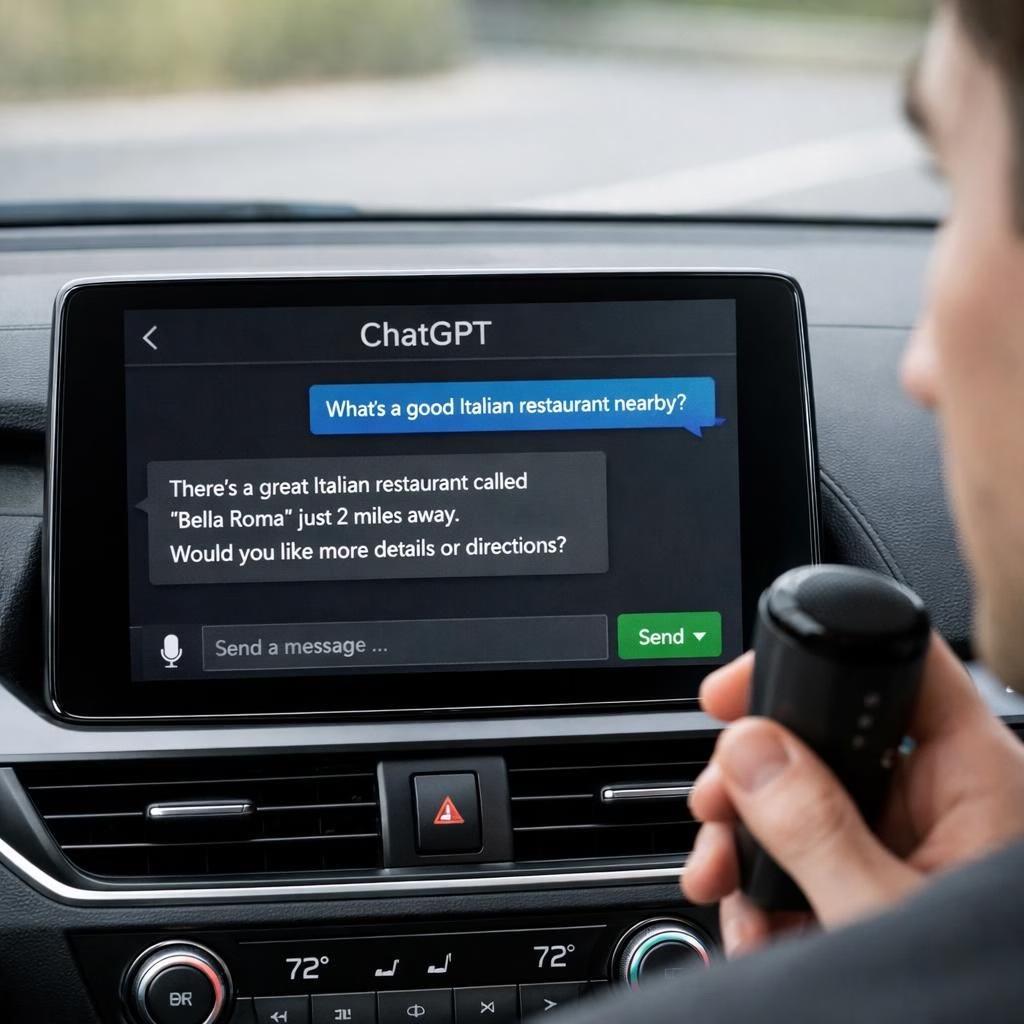
CarPlay AI has finally joined the driver’s seat, and yes, it comes with a wink and a microphone. In 2026, Apple CarPlay introduces a hands-free chat with an AI right from the dashboard. The feature runs on iOS 26.4+ and the latest ChatGPT app, aiming for safer, eyes-up knowledge at a glance. This isn’t a gimmick; it aligns with CarPlay’s safety-first philosophy. Pairing CarPlay AI with Voice UI lets you ask questions and get answers on the road, with voice as the primary channel to minimize distractions. You can view recent voice interactions, mute, or end the chat with a single button. There is no wake word, and you open the ChatGPT app from CarPlay to start speaking your prompt and hear the reply. The approach emphasizes voice-forward interaction in a safe car environment.
CarPlay AI: Safety-First Voice Interaction on the Dash
From a product perspective, CarPlay AI is designed to be voice-first. It favors speaking prompts over tapping, and you receive spoken responses rather than scrolling text. The ChatGPT app presents a minimal on-screen interface with essential controls: a mute button and a simple end-chat option, plus a list of recent voice interactions. The system intentionally avoids showing full text on screen; the audio response keeps eyes on the road. A nearby restaurant query, for example, yields a concise spoken recommendation with no page scrolling.
This design pairs voice output with quick controls to keep the cockpit calm and the mind present. The experience is shaped by safety constraints, focusing on quick, reliable answers rather than screens. A practical example is a short spoken list of coffee spots, with options to request more details on demand.
With Voice UI on the car dashboard, drivers rely on spoken guidance to navigate everyday needs while keeping hands on the wheel. The approach minimizes visual clutter and prioritizes audio cues that align with CarPlay’s safety rules.
Voice UI: The Rise of Spoken-Only AI Car Interfaces
Voice UI is the hero of this setup. The feature’s absence of a wake word reduces accidental prompts while driving. All prompts and responses are voice-based; there is no requirement to glance at a screen for every interaction. The result is a voice-first conversation that can feel like a helpful co-pilot who speaks in a friendly voice. Built-in safety rules guide interactions in a controlled cabin, prioritizing minimal visual distraction with audio as the primary channel. This trend mirrors broader moves toward hands-free assistants in cars, pushing automakers and software makers to blend AI usefulness with road safety and user autonomy.
In practice, you can use Voice UI to fetch directions, check the weather, set reminders, or brainstorm trip ideas while your hands stay on the wheel. The experience emphasizes quick, voice-driven responses over lengthy on-screen menus and scrolling.
When you press the ChatGPT app icon on CarPlay, you engage a new kind of in-car assistant that sits between a helpful passenger and a cautious co-pilot. It’s not about speed-reading the world; it’s about speed-thinking the highlights. If you ask about nearby coffee spots, you’ll likely hear a short spoken list, with a couple of quick options for more details on request. The experience is designed to be quick, friendly, and repeatable, not a scavenger hunt through on-screen menus. People who love driving for the drive itself, not for endless app-browsing, will appreciate the streamlined flow.
For drivers, this is more than a novelty; it marks a step toward a safer, more productive cabin where your car helps you think and plan while you drive. The design favors essential information delivered by voice, with minimal text and clear audio cues. The combination of CarPlay AI and Voice UI could reshape how we interact with our vehicles in 2026, encouraging developers to balance helpful AI with road safety and user autonomy.
What this means for the broader ecosystem is an invitation to craft voice-first experiences that respect attention spans and reduce cognitive load. The path ahead looks like more refined ambient AI assistants, improved context awareness, and smarter prompts that know when to speak and when to listen. If you’re curious about the future, this CarPlay AI experiment offers a friendly preview: the car as a platform for smart, safe conversation, not a distraction factory.
Have you tried ChatGPT on CarPlay yet? Share your experiences, tips, and questions in the comments. Your feedback helps shape how we all ride smarter in 2026.
Original reporting: Times of India Tech.
References and further reading:
Practical steps to use CarPlay AI with Voice UI
- Ensure your iPhone runs iOS 26.4+ and the latest ChatGPT app, then connect to CarPlay.
- Open the ChatGPT app from the CarPlay home screen to begin.
- Speak your prompt; listen to the spoken answer. Use the on-screen controls to mute or end the session as needed.
- Review recent voice interactions from within the app’s history when parked or at a safe stop.
FAQ about CarPlay AI and Voice UI
What are the minimum requirements to use ChatGPT on CarPlay?
You’ll need an iPhone with iOS 26.4 or newer and the latest ChatGPT app, plus a CarPlay-compatible vehicle. The experience is hands-free and voice-driven, with no wake word required.
Is there a wake word for initiating prompts?
No. The setup relies on tapping the ChatGPT app in CarPlay to start a session; prompts are provided via voice after you open the app.
Can I see full text responses on the screen?
No. The system is designed for voice responses with minimal on-screen content. You can view a list of recent voice interactions, but not full text replies.
What about safety and usability?
Safety is the core focus: interactions are designed to be quick, audio-first, and distraction-free, with clear audio cues and limited visual elements to keep eyes on the road.
Will this work in every car with CarPlay?
Availability depends on your iPhone, iOS version, and the installed CarPlay environment in your car. The feature is tied to the latest CarPlay platforms and updates from Apple and the ChatGPT app.
Conclusion and takeaway
ChatGPT on CarPlay represents a meaningful step toward safer, voice-first in-car AI. By prioritizing audio interaction and minimizing screen time, it aims to keep drivers focused while still delivering helpful, on-demand knowledge. If you’re curious, try it on your next drive and share your experience—your feedback helps shape safer, smarter in-vehicle AI in 2026.
References
- Original reporting: https://timesofindia.indiatimes.com/technology/tech-news/chatgpt-comes-to-carplay-with-ios-26-4-supports-voice-only-interaction/articleshow/129969208.cms
- 9to5Mac: ChatGPT comes to CarPlay with iOS 26.4 support
- Apple CarPlay official page